Raffle and lucky draw software for live events, compared
Which raffle and lucky draw tools let guests join by QR code and draw winners on a big screen? Seven tools compared on entry, screen, price and limits.
By the Winologic team · Updated: · Other tools checked: · How we write our guides
For a raffle or lucky draw at a live event you need a join page guests open from a QR code and a draw that runs full screen on a projector. Winologic, SimplyRaffle and Easypromos do both; RandomPicker has a projector view but no QR code on its pages; AhaSlides adds a wheel to a presentation; rafflr runs reverse raffles. For one event, Winologic costs least: free up to 100 entries, $9 for 500.
Which tool for which case
Guests scan a QR code and you reveal winners on a projector, in your brand: Winologic or SimplyRaffle. Winologic costs less per event and has 10 languages; SimplyRaffle has more reveal styles and a kiosk.
Up to 1,000 people at once with a quiz before the draw: Easypromos' live giveaways, on its paid plans.
Lists bigger than 50,000 entries: RandomPicker, up to 1,000,000 entries on its top yearly plan (its live view stops at 50,000).
The draw is one slide in a talk with polls and quizzes: AhaSlides' spinner wheel.
A reverse raffle with paper tickets: rafflr.
Selling raffle tickets online and taking the money: a fundraising platform with ticketing; none of the draw tools above sells tickets.
The tools side by side
| Tool | How guests join | On the big screen | One event costs | Good to know |
|---|---|---|---|---|
| WinologicOur product | QR join page in your brand: name plus email, handle or phone as you choose, terms checkbox, a ticket number for each guest. Lists, CSV or Excel and social comments too. | A QR screen with a live count of who joined, then seven draw screens: wheel, slot machine, card shuffle, name shuffle, elimination, countdown, scratch card. | Free up to 100 entries. Event Pack for 30 days: $9 (500), $19 (5,000), $49 (50,000). | Several prizes with backups, names masked on screen, a public results page. 10 languages. Needs an internet connection; no ticket sales. |
| SimplyRaffleWinologic vs SimplyRaffle | QR walk-up entry, emailed magic links, a tablet kiosk mode, CSV import. | Sixteen reveal styles, eight of them on paid plans; your logo and colors. | Free once a year up to 30 people. $9 (100), $49 (250), $99 (500); larger events quoted from $299. | Optional paid set-up help and a phone line on draw day. Does not collect ticket money. |
| EasypromosWinologic vs Easypromos | Guests scan a QR code or open a URL with a PIN shown on the screen. | A live giveaway screen with a countdown, controlled from a phone; up to 8 winners. | Free to try with 20 people. On its paid plans depending on the number of people; price not shown. | Up to 1,000 people at once. Optional quiz or survey before the draw. |
| RandomPickerWinologic vs RandomPicker | A registration form as a widget or landing page, or file import. No QR code on the pages we read. | A live event view for a projector, controlled from the panel, with a public link to watch. | $49 one-time credit (1,000 entries). Its help names the live view on Standard ($239 a year) and up; its pricing page lists it from Basic ($129). | Live events up to 50,000 entries. Drawing certificate. Free plan for eligible nonprofits and schools. |
| AhaSlidesWinologic vs AhaSlides | Guests scan the QR code of a presentation and enter a name; their names fill the wheel. | A spinner wheel slide inside your presentation, next to polls and quizzes. | Free up to 50 people. 24-hour plans: $23.95 (100), $49.95 (2,500). | One wheel per slide: the presenter removes each winner by hand to draw again. Every spin kept in the report. |
| rafflr | Paper ticket numbers; its pages don't mention QR entry. | A full-screen presenter board for reverse raffles, with sponsor logos and buybacks. | $77 per raffle, $97 a year or $497 once; up to 1,000 tickets. No free plan. | Built for reverse raffles, where numbers are knocked out until one is left. |
| Wheel of NamesWinologic vs Wheel of Names | None: you type or paste the names, or import from Google Sheets. | A wheel with your colors, background image and center logo. | Free, with ads you can close. | Fine for a quick spin; no sign-up, prizes or backups. |
What a live event draw needs
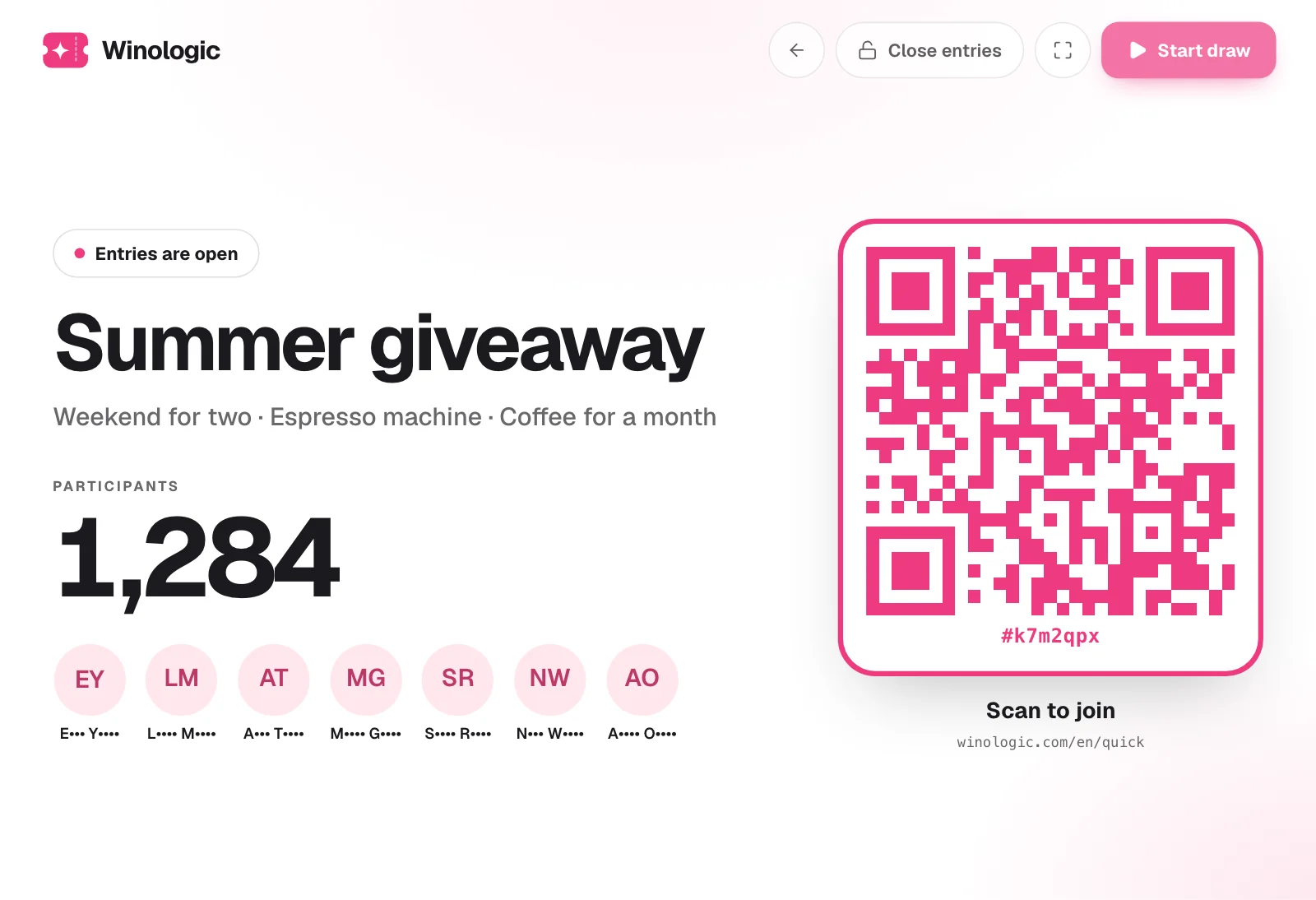
At an event, people are in the room with a phone in their hand. The quickest way in is a QR code on a screen, a poster or a table card, leading to a short form. A count that rises on the big screen while people join does half the work of warming up the room.
Then the draw itself has to be visible: full screen, readable from the back, in the event's colors rather than the tool's. And because people leave early, each prize needs backup winners you can call up without starting over.
Lucky draws at company events and dinners
A lucky draw at a year-end party or a gala dinner is the same thing as a raffle with free tickets: every guest gets one chance, and prizes are drawn in order, often from the smallest to the main prize. Guests can join from their table by scanning a QR code; the draw screen can hide full names and show ticket numbers instead.
Two details matter at company events. Hosts and organizers are often on the guest list but shouldn't win, and the same person should not win twice. In Winologic, names can be shown on screen without being able to win, and people who win leave the pool on their own.
Draw tool or ticketing platform
The tools on this page run the draw. They do not sell raffle tickets or collect money; SimplyRaffle says so on its own site, and Winologic has no payments from participants either. If you sell tickets, a fundraising platform handles the sales, and many of them also show the draw on a screen.
Selling chances to win is regulated in many countries, and the rules for charities, schools and businesses differ. Check with your local authority before you sell tickets; this page is not legal advice.
Questions to ask any tool before the event
How many people can join at the same time, and what happens past your plan's limit? Does the draw screen run in a normal browser on the venue laptop? Does it need the internet during the draw, and is the venue Wi-Fi good enough? Can you hide names on screen? Can you draw a backup if a winner has left? Whose logo is on the screen?
Run one test draw on the real screen the day before. It takes five minutes and catches the projector that crops the edges.
Frequently asked questions
What is the best software for a lucky draw at an event?
If guests join on their phones and you want the draw on a big screen, pick a tool with both a QR join page and a full-screen draw: Winologic, SimplyRaffle or Easypromos' live giveaways. Winologic costs least for one event and comes in 10 languages; SimplyRaffle has more reveal styles; Easypromos adds a quiz before the draw.
Can guests enter a raffle by scanning a QR code?
Yes. Winologic, SimplyRaffle, Easypromos and AhaSlides let people join from a QR code on their phone. In Winologic each guest gets a ticket number on screen, and a QR screen shows how many people have joined.
How do I show a raffle draw on a big screen?
Open the tool's draw screen in a browser on the laptop connected to the projector or TV and switch to full screen. Test it on the real screen before the event, and check that the venue's internet connection works for both the screen and the guests' phones.
Is there free raffle software for events?
Winologic is free up to 100 entries per giveaway, with every draw screen and the QR join page. SimplyRaffle is free once a year for up to 30 people, AhaSlides for up to 50 live participants, and Easypromos' live giveaways can be tried with 20. Wheel of Names is free but has no QR entry.
Do these tools sell raffle tickets?
No. They run the draw only. To sell tickets, use a fundraising or ticketing platform and check the local rules for raffles first.
Sources
Everything about the other tools on this page comes from their own websites, read on November 23, 2026. Prices and features change, so check each site for the current details.
- SimplyRaffle pricing
- SimplyRaffle features
- Easypromos live giveaways for events
- Easypromos live giveaway kit (PDF)
- RandomPicker pricing
- RandomPicker live events help
- AhaSlides spinner wheel help
- AhaSlides one-time plans
- rafflr
- Wheel of Names FAQ
- Winologic's details come from our pricing page and how we pick winners.
Spotted something out of date? Tell us and we will correct it.
Other comparisons
All comparisonsAn honest RandomPicker alternative check: prices, entry limits, live event draws, QR joining and draw records, with sources and the date we checked.
Winologic and SimplyRaffle both run live raffles with QR entry and a big-screen draw. Here is how prices, limits and features compare, with sources.
Wheel of Names is free and quick for a single spin. See when a giveaway needs more, like QR entry, ticket numbers, backup winners and a results page.
AhaSlides puts a spinner wheel in a presentation. See when a prize draw at an event needs more: ticket numbers, several prizes, backups, a results page.
Comment Picker reads comments straight from Instagram, YouTube and TikTok. Winologic turns pasted comments into a live, branded draw. Compared with sources.
Easypromos is a promotions platform with Instagram connected through Meta's APIs. Winologic is a lighter tool for live, branded draws. With sources.
Free limits and paid prices of nine raffle and giveaway draw tools for 500 and 5,000 entries, one event or many, read on each tool's own pricing page.