How to Handle Duplicate Giveaway Entries Fairly
Duplicate entries give some people extra chances. Learn how to define a duplicate, find repeats by email, phone or handle, and clean your list fairly.
By the Winologic team · Updated: · How we write our guides
To handle duplicate entries fairly, decide in your rules what identifies one person, such as an email address, phone number or username, normalise those values so small differences do not hide repeats, then keep one entry per person before drawing. Allow extra entries only through declared weighted tickets, never by accident.
Why duplicates are a fairness problem
If one person comments five times or submits a form three times, they hold several chances while everybody else holds one. The draw may be perfectly random and still be unfair, because the list it used was not equal.
Duplicates also damage trust in public giveaways. A winner who turns out to have entered a dozen times looks suspicious, even when the rules never said anything about it. Cleaning the list first prevents the argument.
Fairness is also about perception. Participants who see that you remove duplicates before drawing, and who read it in the rules, are more likely to trust the result and less likely to try to game it with repeated comments.
Decide what counts as the same person
Pick an identifier before you collect entries: an email address for forms, a phone number for text entries, a username for social comments. Say in your rules that one person gets one entry and that repeated entries are merged.
Then normalise the values so they match. People type the same thing in different ways, and a simple cleanup catches most repeats before they reach the draw. Write the normalisation rules down once, so the same cleanup is applied to every entry and can be repeated if someone asks you to check it.
- Make everything lowercase.
- Trim spaces at the start and the end.
- Remove the at sign from usernames before comparing.
- Strip spaces, dashes and country prefixes from phone numbers.
- Look for obvious typos such as swapped letters.
Where duplicates come from
Most duplicates are innocent. Someone resubmits a form because the page was slow, comments twice to be sure it posted, or appears in two lists you merged from different sources, such as a QR sign-up and a social post.
Some are deliberate: the same person using several accounts or emails. These are harder to catch, so set clear eligibility rules and review suspicious patterns such as identical comments arriving seconds apart.
Merged lists are a particular trap. A QR sign-up, a comment thread and a handwritten sheet may all contain the same person, so deduplicate after you combine every source, not within each source separately.
Clean the list step by step
In a spreadsheet, sort by the identifier column and use the remove duplicates command, keeping the earliest entry. For social comments, copy the comments, extract every username and keep each one once.
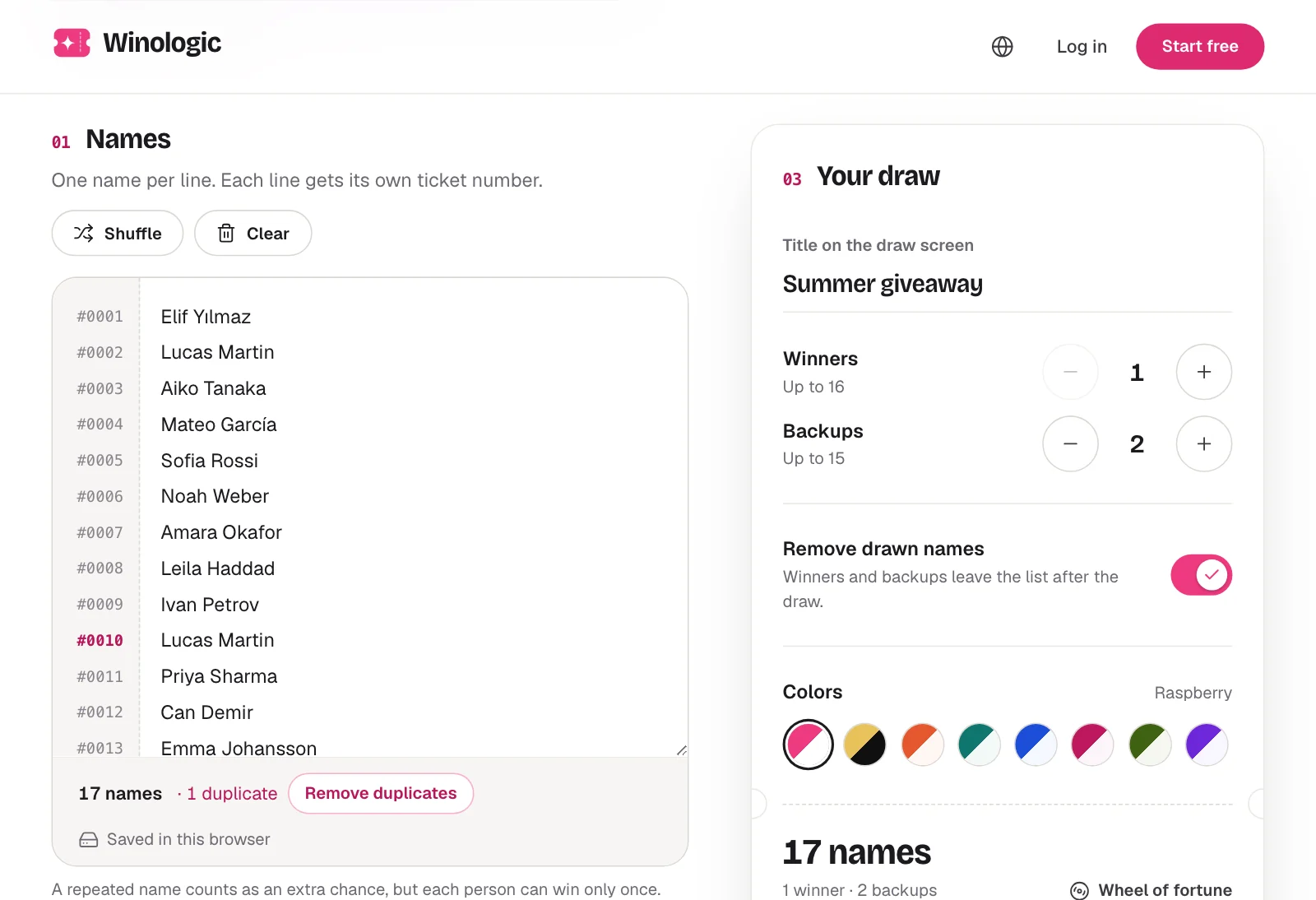
Winologic does this for you. When you paste Instagram or TikTok comments it extracts all @usernames and removes duplicates, and duplicate removal is also available for manual lists and imported CSV or Excel files, so the pool is clean before the draw.
Keep the original export untouched and work on a copy. If somebody asks why an entry was removed, you can show the two matching rows and the rule that says one entry per person.
When extra entries are allowed
Sometimes your rules grant more than one chance, for example a bonus for inviting friends. In that case do not let duplicates through by accident: convert the extra chances into declared weighted tickets so every participant is treated by the same written rule.
Watch out for false positives as well. Two relatives may share one email address and a family may use one phone number, so check borderline cases and keep a short log of what you merged and why.
Whichever approach you choose, apply it to everyone in the same way. A rule applied selectively, for instance only to people you suspect, is itself a fairness problem. Consistency matters more than the exact rule, because participants judge fairness by whether everyone was treated alike.
Step by step
- 01Choose the identifier
Decide whether a person is identified by email, phone number or username and say so in your rules.
- 02Collect everything in one list
Merge forms, comments and manual entries into a single file or tool.
- 03Normalise the values
Lowercase, trim spaces and strip symbols so equal values really match.
- 04Remove repeats
Keep one entry per person, usually the earliest, and note what you removed.
- 05Review edge cases
Check shared emails, suspicious patterns and near-matches by hand.
- 06Lock the list and draw
Save a copy of the final list before running the draw.
Frequently asked questions
What if two people share the same email address?
+
Decide in your rules whether that counts as one entry. If you cannot tell whether they are different people, ask for a different identifier such as a phone number, or allow one entry per household.
Do repeated comments count as more entries?
+
Only if your rules say so. Without a stated rule, the fairest choice is one entry per person, no matter how many times they comment.
Should I remove duplicates before or after the draw?
+
Before. Removing them afterwards can change who won and looks like you are editing the result. Clean, freeze and save the list, then draw.
How can I tell if one person uses several accounts?
+
It is hard to be sure. Look for identical comments, accounts with no history or the same contact details, and apply the criteria you published in advance. When in doubt, ask for verification before awarding a prize.
Related guides
All guidesLearn the warning signs of bot and fake entries, how to design a giveaway that makes them harder, and how to handle a suspicious winner fairly.
Copy your Instagram comments, extract every @username, remove duplicates and draw a random winner fairly, with backups and a record of the result.
Pick a fair random winner from a spreadsheet: prepare the columns, remove duplicates, draw with a formula or an import tool, and protect personal data.