How to Collect Giveaway Entries With a QR Code
Collect giveaway entries with a QR code and a mobile join page: what to ask for, where to show the code, and how a live counter keeps people engaged.
By the Winologic team · Updated: · How we write our guides
To collect giveaway entries with a QR code, create a short join page, keep the form to the minimum you need, show the code on a screen or printed sign, and let people scan with their phones. A live participant counter shows the entries growing, and the final list goes straight into the draw.
Why a QR code beats comments and paper slips
A QR code lets people enter in a few seconds using the phone already in their hand. There are no comments to copy, no handwriting to decipher and no slips to lose, and everyone ends up on the same page with the same rules in front of them.
It also works where social platforms do not: at events, in shops, on packaging, on posters and on a presentation screen. If your audience is in the room, a code is usually the fastest way to turn attention into entries.
Keep the join page short
Every extra field costs you entries, so ask only for what you need to run the draw and reach the winner. A name or nickname may be all you need for a room full of people, while a prize that has to be shipped needs an email address at the point of contact.
Explain on the page what the giveaway is, when it closes and how winners are chosen and contacted. Winologic's join page can carry your logo, colours and fonts through a brand kit, so entrants know at a glance whose giveaway they have joined.
- Ask for the minimum: usually a name, plus contact details only if you need them.
- State the closing time and how winners are told.
- Show your brand so the page looks trustworthy.
Place the code where people will actually scan it
Size and contrast matter more than design. Make the code large enough to scan from the distance people will stand at, keep a plain light background around it and avoid placing it behind glass with reflections or in dim corners.
Always add a short instruction next to it, such as scan to enter the draw, and test it with at least two different phones before the day. A code that fails for one in ten people quietly loses you entries without any warning.
Use the live QR screen and counter
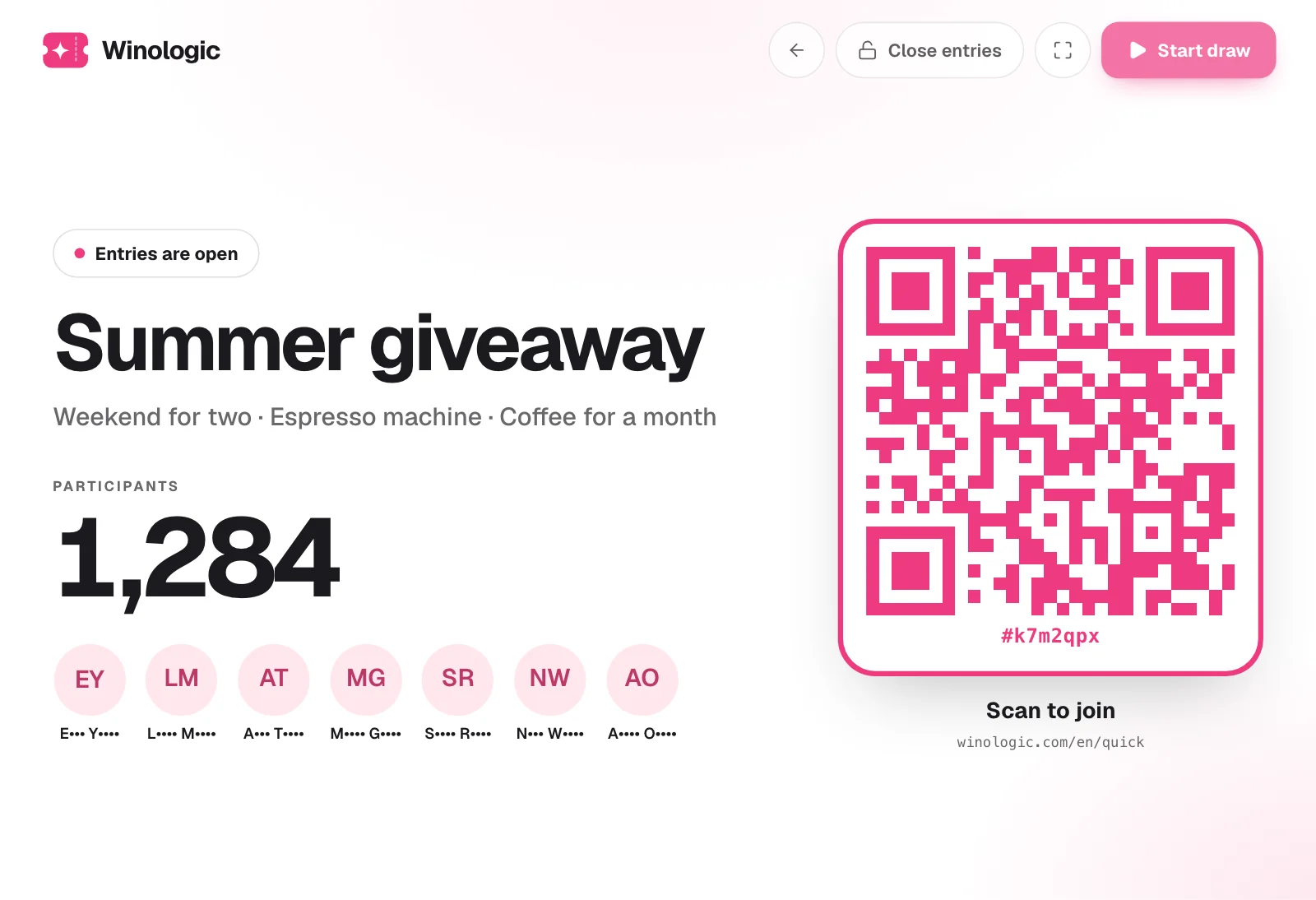
Winologic's live QR screen displays the code together with a real-time participant counter. Watching the number climb creates momentum in a room and gives hesitant people a reason to scan before the window closes.
Project it on a big screen, a tablet at the counter or a laptop on a stand. Announce the closing time in advance and, when it arrives, close the entries so everybody has the same cut-off and the list is final before the draw.
Mix QR entries with other sources
Not everyone will scan, so give people an alternative. You can add names manually, paste a list in bulk, import a CSV or Excel file, or paste Instagram or TikTok comments, and the usernames are extracted and de-duplicated automatically. A single draw can therefore combine online and in-person entries.
Duplicates are removed so that one person does not get several chances by scanning twice, and sequential ticket numbers can be used if you want a visible number for each entry.
Respect privacy from the first scan
A QR code makes it easy to collect personal details, which is why you should be strict about collecting only what is needed. Say what you will use the data for and how long you will keep it, and delete it when the giveaway is over unless people agreed to hear from you again.
Privacy rules such as GDPR in Europe differ by country, so check the requirements that apply to you. A short privacy note on the join page is a simple way to be open with entrants.
Step by step
- 01Create the giveaway
Set the prize, the number of winners and the closing time.
- 02Apply your brand
Add your logo, colours and fonts so the join page looks like yours.
- 03Keep the form minimal
Ask only for the details you need to run the draw and reach the winner.
- 04Show the live QR screen
Display the code and counter on a screen or print the code with a clear instruction.
- 05Test and close
Scan with two phones before opening, then close entries at the announced time.
- 06Draw the winners
Run the draw with the collected entries, plus backup winners.
Frequently asked questions
How do I make a QR code giveaway?
+
Create the giveaway, open its join page and show the QR code on a screen or printed sign. People scan with their phone, fill in the short form and are added to the entry list automatically.
Do participants need an account to enter?
+
They only need to scan the code and complete the short join form. You decide which details to ask for, and fewer fields means more entries.
Can I print the QR code on posters or packaging?
+
Yes. Print it large with a clear background, add a one-line instruction and test it from the distance people will scan it, including in the lighting of the venue.
Can people enter twice by scanning again?
+
Duplicates can be removed before the draw so each person has one entry. State in your rules that only one entry per person counts.
Related guides
All guidesPlan a live raffle for an event: show a QR code on screen, collect entries from the crowd, close on time and draw winners on stage with backups ready.
Run an in-store giveaway in your shop: put a QR code at the counter, set simple rules, collect entries from customers and draw a winner fairly.
Plan a trade show booth giveaway that brings visitors to your stand, collects leads responsibly and ends with a fair, visible winner draw.