How to Run a Live Raffle at an Event: Screen, QR and Stage
Plan a live raffle for an event: show a QR code on screen, collect entries from the crowd, close on time and draw winners on stage with backups ready.
By the Winologic team · Updated: · How we write our guides
To run a live raffle at an event, show a QR code on the main screen so guests can join from their phones, let a live counter build excitement, close entries at an announced time and draw on stage. Pick backup winners in the same draw in case the winner has left the room.
Plan the raffle around the programme
A raffle works best when it has a fixed place in the schedule: entries open when guests arrive, close at a set moment and the draw happens at a high point of the event. Tell people the schedule at the start so they know when to enter and when to be in the room.
Decide the prizes and the number of winners in advance and tell the host who will present each one. If there are several prizes, plan the order, because ending with the best prize keeps people in the room until the last moment.
Collect entries with a QR code on the big screen
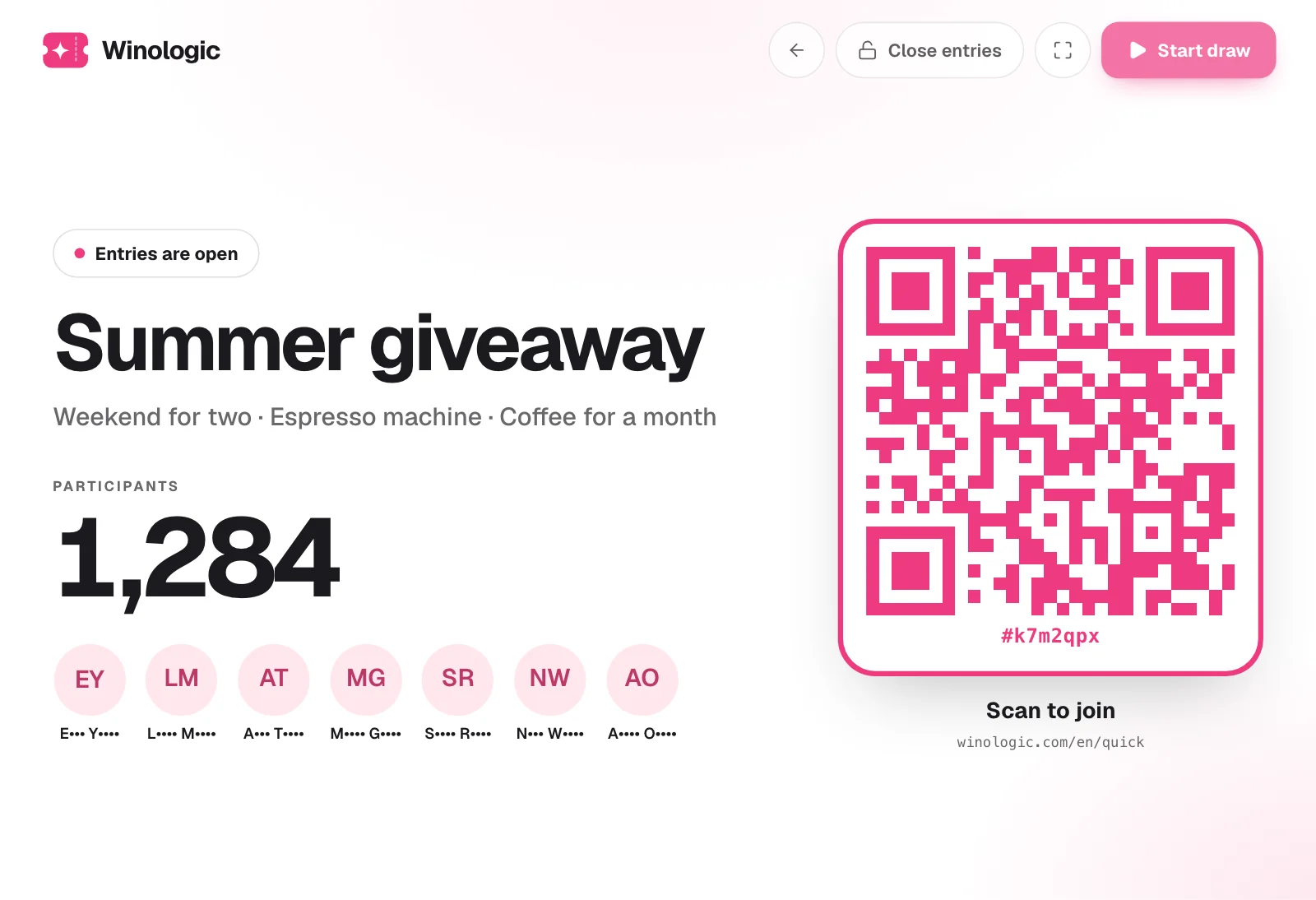
Show a QR code on the main screen or on printed table cards, so guests can join from their phones in seconds. Winologic's live QR screen displays the code next to a real-time participant counter, which the host can refer to while people are still arriving.
Not everyone wants to use a phone, so have a helper add names manually at a desk. If you already hold paper tickets, you can paste their numbers and names in bulk, and one draw can combine all the sources.
- QR on the main screen and on table cards.
- A helper with a laptop for guests without a phone.
- A clear sign saying when entries close.
Close entries before the draw
Announce a last call a few minutes before the draw, then close the entries so that the list is final. Closing at a stated moment removes any argument about whether the winner joined too late, and it lets the host start the draw with a known number of participants.
Remove obvious duplicates and any excluded people, such as organisers or sponsor staff if your rules say so. Do this before the draw starts, not after someone has been announced.
Draw on stage with the right screen
Winologic offers seven draw screens, and the choice affects the mood. A wheel of fortune or slot machine suits a fun party, a countdown builds suspense for a main prize, and a card shuffle or name shuffle feels calm and suits more formal rooms.
Load the brand kit so the draw carries the event's logo and colours, and rehearse once on the real screen. The host should read the prize aloud, start the draw and let the animation reveal the name before announcing it.
Have backup winners ready in the room
At a live event, a winner may have left, gone to the restroom or switched off their phone. Draw one or two backup winners for each prize at the same time as the main winner, and tell the audience that a winner who does not step forward within a short time, for example thirty seconds, will be replaced.
Say this before the draw begins, so the replacement feels fair rather than improvised. The audience will accept the rule when it is part of the announcement.
Keep the result visible and fair
Each draw records a random seed and a fingerprint of the entry list, and a public results page can show the winners afterwards. For a company or charity event, that page gives guests who were not on site a place to check the outcome.
Hand over the prize in front of everyone if possible, take a photo with the winner's permission and note who received what. A short record of each handover answers any later question quickly.
Frequently asked questions
How do I run a raffle at a live event?
+
Show a QR code on screen so guests can join from their phones, close entries at an announced time and run a random draw on stage. Choose backup winners in the same draw in case someone has left.
What if the winner is not in the room?
+
Announce the rule before the draw: a winner who does not respond within a short time is replaced by the first backup winner. This keeps the raffle moving and nobody feels cheated.
Can I use paper tickets and a QR code together?
+
Yes. Paste or type the paper ticket names and numbers into the same list as the QR entries and run one draw across all of them.
How many people can join a live raffle?
+
That depends on your venue and mobile signal more than on the raffle itself. For large crowds, check connectivity in the room beforehand and keep a manual entry option available.
Related guides
All guidesCollect giveaway entries with a QR code and a mobile join page: what to ask for, where to show the code, and how a live counter keeps people engaged.
Run a prize draw people remember: choose the right draw screen, script the moment, show the entry count and handle absent winners on stage or on stream.
Raffle ticket numbers explained: how numbering works on paper and online, why sequential numbers build trust and how to handle lost or extra tickets.